Songs, takes and sessions
Every song,
first line to finished.
StudioHand keeps the lyrics, chords, takes and sessions behind each song in one local library — for the musician writing it and the engineer recording it.
iPhone & iPad · iOS 17.4+ · limited-time launch price $2.99 · no account, no subscription
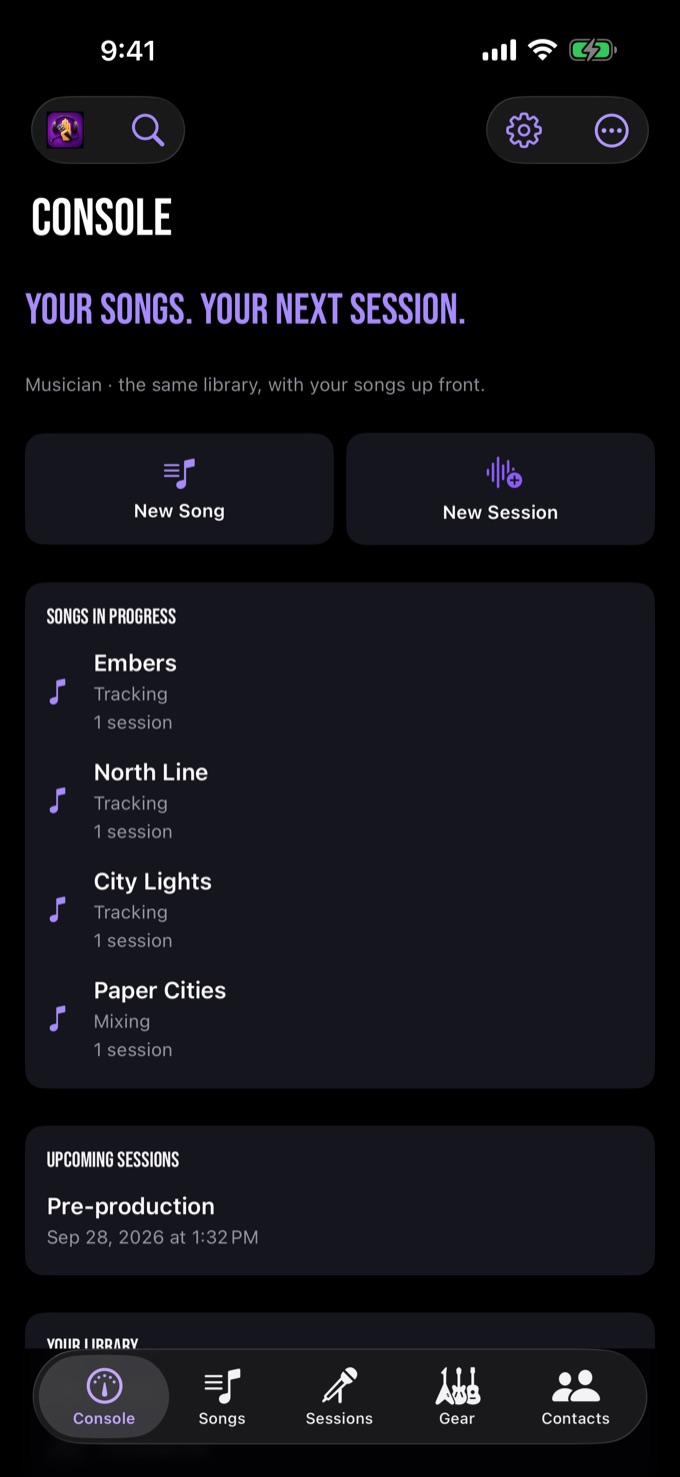
One song, start to finish
From the first line
to the finished record.
A song is its own record in StudioHand. It carries its words, its changes, its takes and every session that touched it — so nothing gets lost between the notebook and the master.
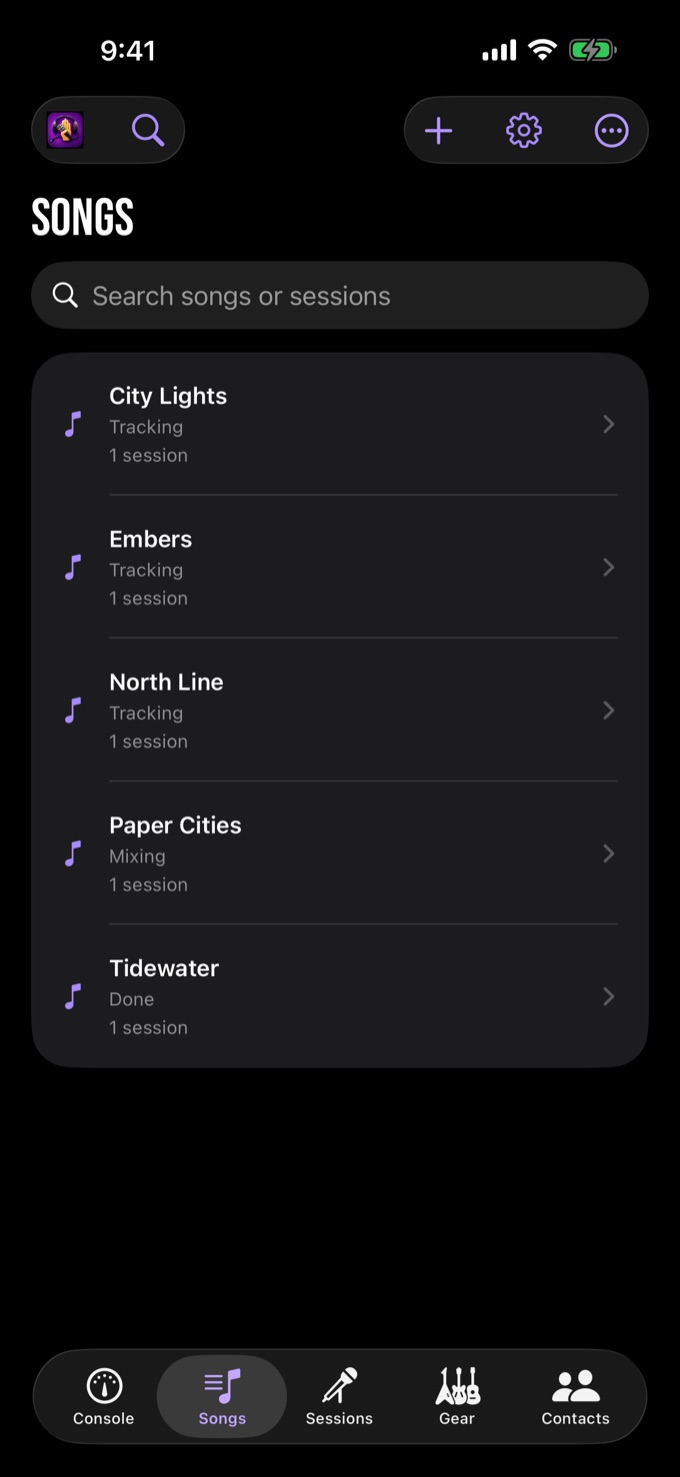
01
Start with the song
Add a new song on its own — no session required. Give it a title, a tempo and a key, and it has a home in the library before anyone has plugged in a mic.
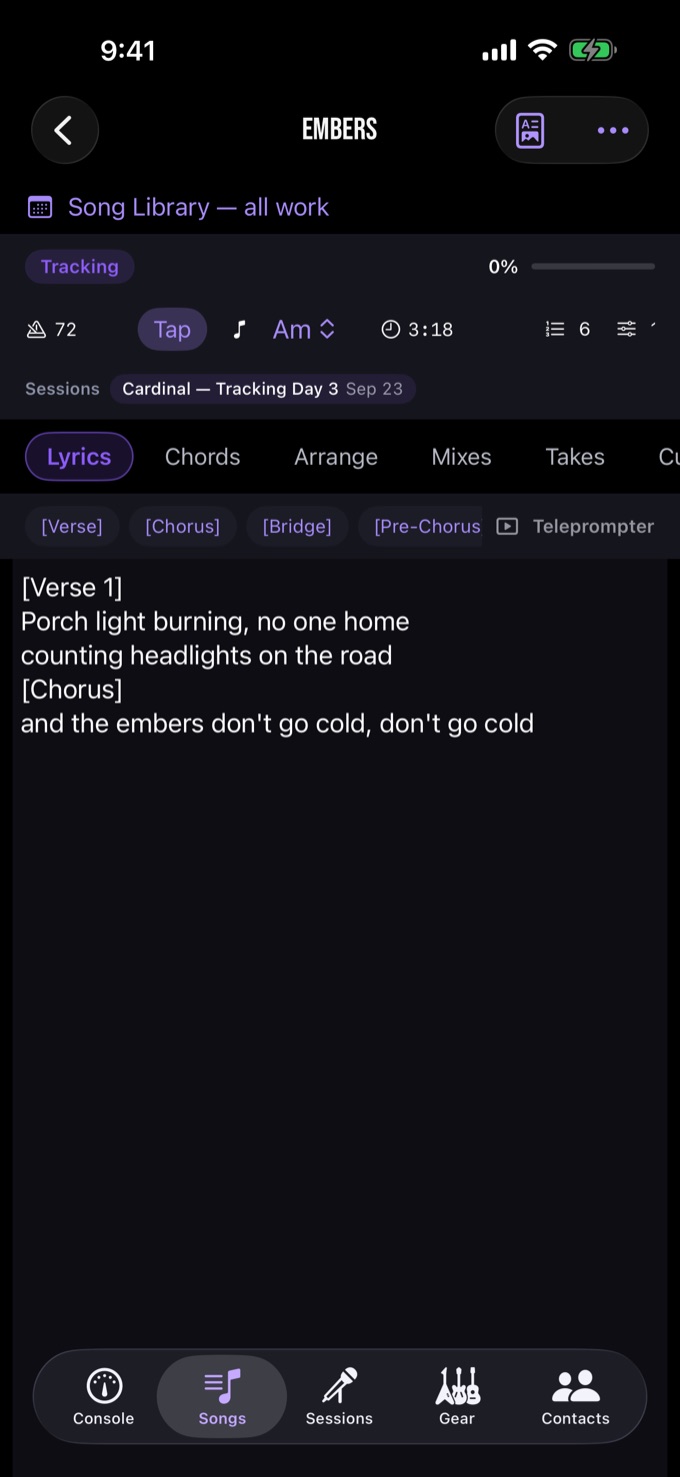
02
Write it down
Lyrics with section markers, Nashville-style chord charts, and an arrangement map with bars, instrumentation and per-section status. The song sheet prints for rehearsal.
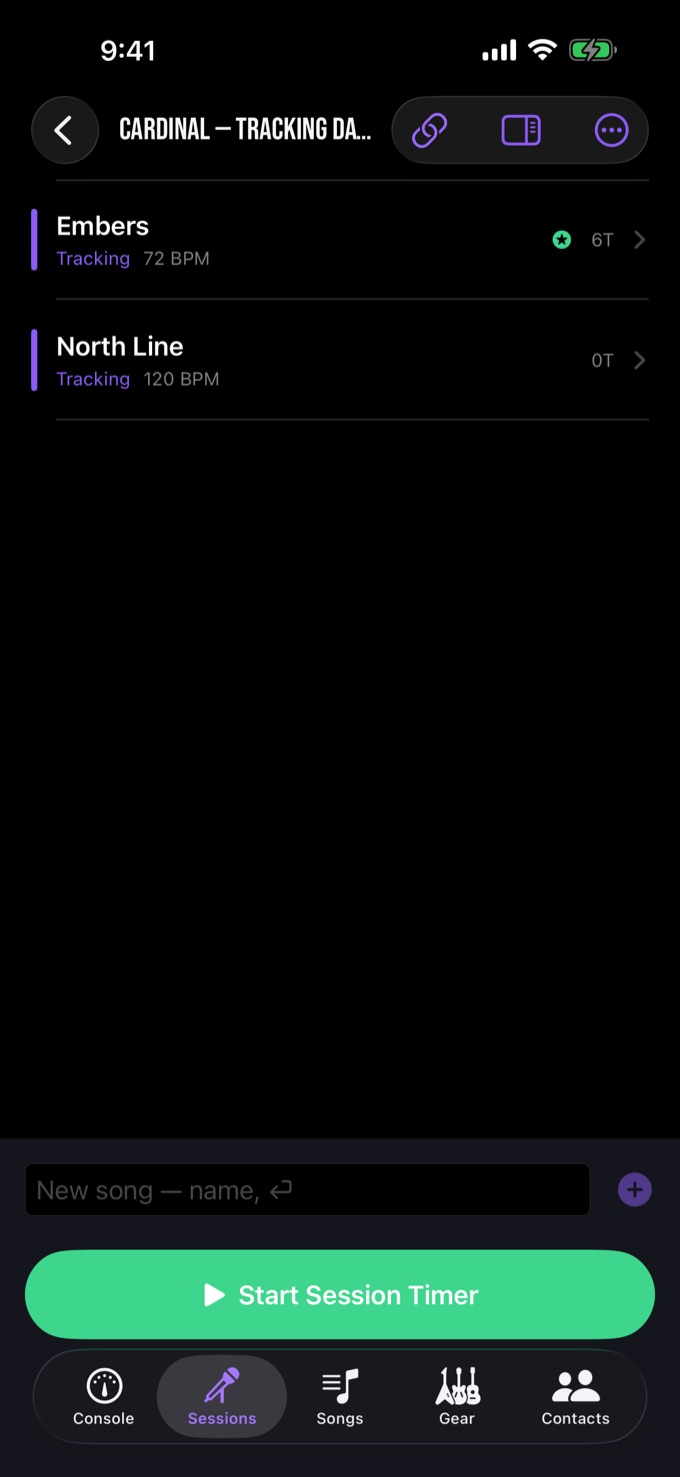
03
Take it to the room
Open a session, link the songs you are tracking and start the clock. Log each take with a rating and notes, circle the keeper, stamp punch cues off the timer, and keep track sheets and recall notes beside it.
04
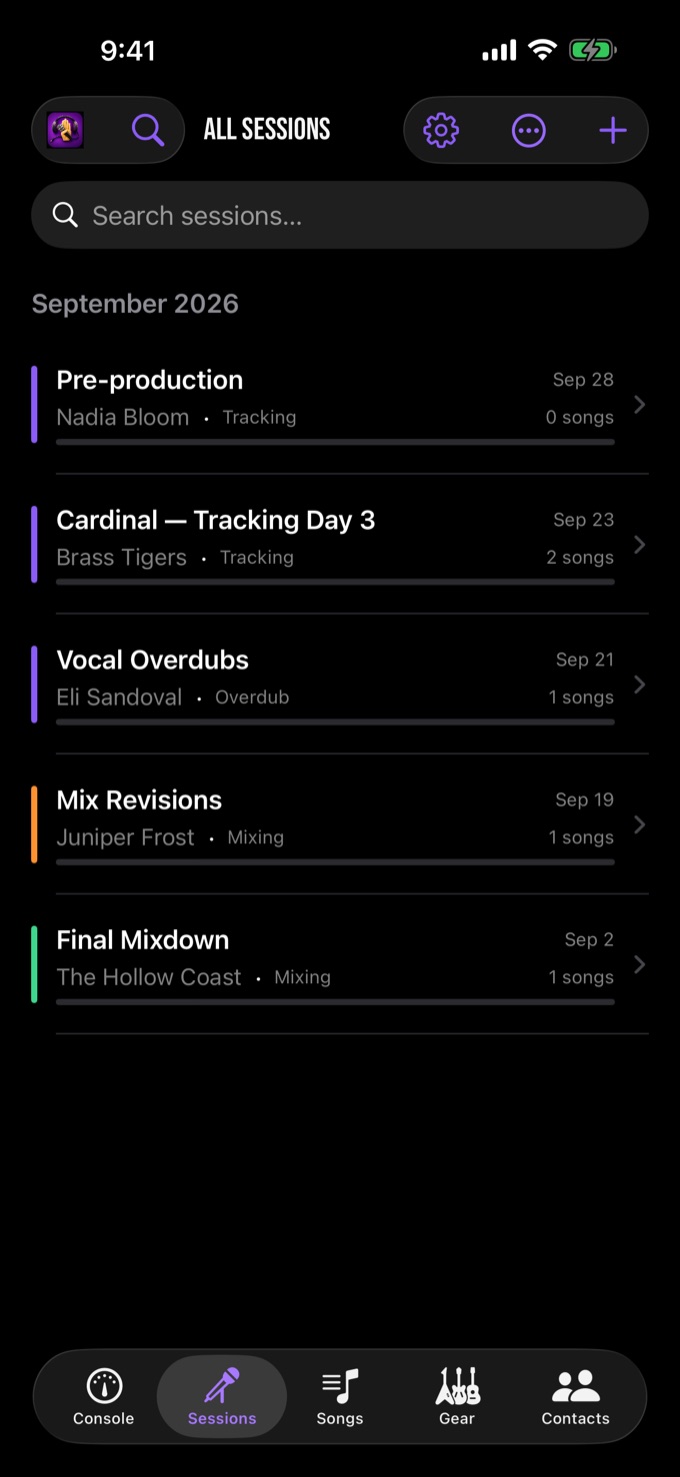
Keep every pass
The song stays attached to every session that touched it, and the sessions list becomes the project's memory. Deleting a session never deletes the song.
05
Finish it and hand it over
Build a release with its running order and credits, catalogue masters and stems in the vault, hand a client the PDF session report, export CSVs, and back the whole library up as a portable file you control.
Two ways in
One library.
Pick how you work.
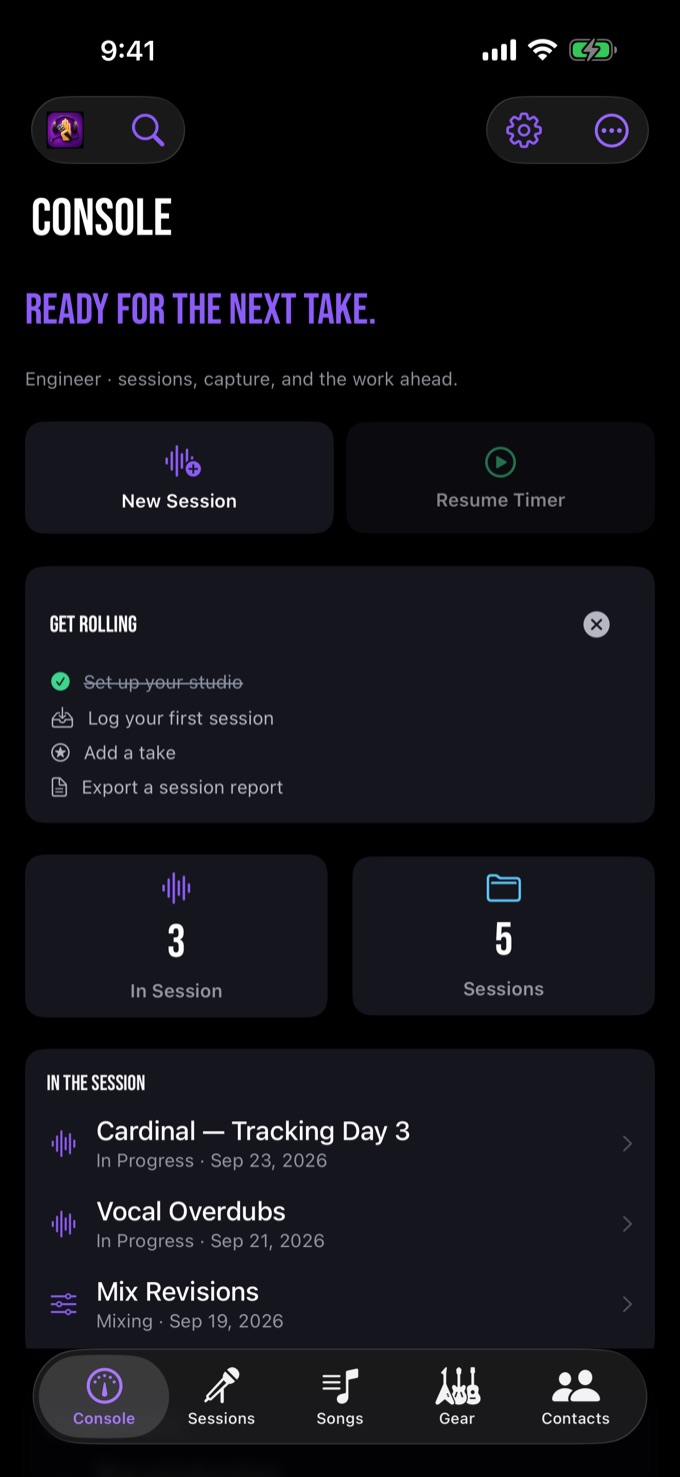
Choose Musician mode to put your songs first, or Engineer mode to lead with the session. Both are included, both use the same library, and you can switch any time in Settings.
Musician
Leads with the songs in progress — what is tracked, what is still a sketch, and which session comes next. Writing, chords and arranging come first.
Engineer
Leads with active and upcoming sessions — takes, cues and timing without leaving the take sheet. The room, the gear and the clock come first.
Everything in it
Built for the
whole song.
Whether you are writing it or recording it, the tools live in the same library, in roughly the order a song needs them.
Lyrics, chords and arrangements
Lyrics with section markers, Nashville-style chord charts, and an arrangement map with bars, instrumentation and per-section status. Tempo and key sit on the song header, with tap tempo.
Takes, rated and circled
Log the next take inline while the band resets. Rate it Keep, Maybe, Scratch or Printed, star the contenders, flag keepers — then double-tap to circle the one. Each take carries notes, duration, section fields and a voice memo.
Cues stamped off the clock
Tap the clock button to stamp a punch cue straight from the running session timer, then describe it. Cues carry categories — verse, chorus, solo, punch-in — so the list reads like a map of the song, and they land on the report.
A clock you can bill from
A session timer that accumulates work and break time separately, follows you across the app, and shows on the Lock Screen and Dynamic Island. It saves recovery checkpoints and offers recovery after an interruption — review recovered time before you bill it.
Track sheets and recall
Every track with its source, mic and preamp — Lead Vocal: U87 → Neve 1073. Apply a track template to lay in a standard band setup in one tap, and keep headphone mixes, outboard and plugin recall beside the session.
Notes and reference photos
Timestamped session notes for everything that isn't a take, plus reference photos of mic placement, patch points and outboard settings. Images stay on your device unless you export or share them.
Releases and the vault
Build a release with its running order, sides and credits. The vault catalogues your finished audio — masters, mixes, stems — with inline waveform playback and links back to the song.
PDF reports and CSV exports
One tap turns the day into a PDF — songs, takes with the keeper circled, cues, notes and the time log — ready to hand a client or file with the project. Print a song sheet for rehearsal, or export sessions and time logs as CSV.
The room, remembered
Gear inventory with serials and locations, rooms for multi-space studios, contacts, maintenance records, and the software licences and renewal dates that otherwise live in your email.
Search, tags and templates
Search everything you've ever logged — sessions, songs, takes, notes, contacts — and save the searches you re-run. Tags cut across a long project; session templates spawn your standard setups in one tap.
Know your year
Analytics counts sessions and hours per month, average session length, who you record most, and what the software shelf costs. It measures time worked, never money earned.
Your library, portable
A JSON backup carries up to 256 MB of linked media; imports accept files up to 512 MB. DAW project folders are not copied. Verify a backup and keep external media before deleting originals. Your data, yours
iPhone and iPad
The same dark
control room.
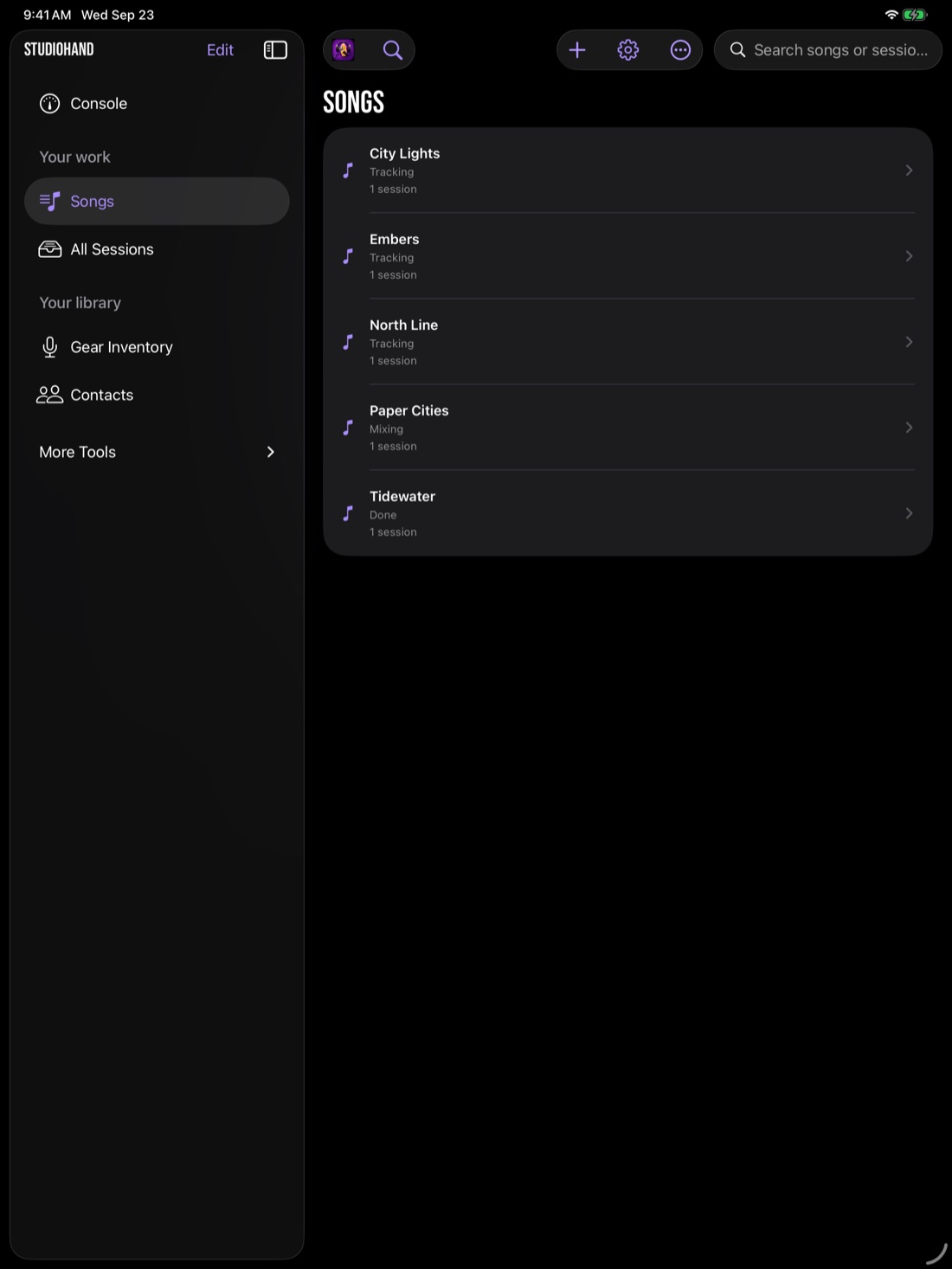
Real screens from the built-in sample studio. On iPad the list and the detail sit side by side.
Pricing
One price. Everything.
The whole app on iPhone and iPad, as one universal purchase. No subscription, no account, no cloud dependency — your songs and session data live on your device and export whenever you want them.
StudioHand
- Unlimited sessions, songs and takes
- Ratings, keepers and the circled take
- Cues, lyrics, chords and arrangements
- Track sheets, gear, rooms and contacts
- Work/break session timer with recovery checkpoints
- PDF session reports, song sheets and CSV exports
- Releases, vault, analytics, templates and tags
- JSON backup and restore with linked media
US $2.99 limited-time launch price
Every feature listed is included. There is no subscription, no account and no in-app purchase.
Questions
Straight answers.
Is it for musicians or engineers?
Both. Musician mode leads with your songs; Engineer mode leads with sessions. One library, one purchase, switch any time in Settings.
Is it a subscription?
No. A paid download at a limited-time launch price of $2.99 — no subscription, no account, no sign-up, no in-app purchase.
Does it work offline?
Core workflows work offline. Website and support links need internet access. Exporting and sharing happen only when you choose.
Can I bill from the timer?
Work and break time accumulate separately, checkpoints are saved as you go, and recovery is offered after an interruption. Review recovered time before billing it. Tracked time lands on the PDF report.
Does it sync to my iPad?
Not automatically — there is no cloud sync and no account. Move a library with Export & Backup in Settings, and copy externally referenced media separately.
iPhone and iPad?
Both, as one universal purchase, on iOS and iPadOS 17.4 or later. On iPad the list and the detail sit side by side.
Will it connect to my DAW?
Not in this version. StudioHand runs beside your DAW as the session log, so nothing about your recording setup has to change.
Available now
On the
App Store.
Get StudioHand
One purchase covers iPhone and iPad on iOS and iPadOS 17.4 or later. Thank you to everyone who ran the beta through real sessions — questions and feedback still go to support@studiohand.app.

From first line to finished record
Finish the song.
Every lyric, take and session in one place. On the App Store now — limited-time launch price $2.99.